CF7
Contact Form 7 file uploads: why the default field isn’t enough (and how to fix it)
Contact Form 7 handles text fields well, but its built-in file upload option is basic – one file, no drag-and-drop, no visual feedback while it uploads. If your form collects resumes, quote requests, design files, or support attachments, that gap shows up fast.
What the free plugin adds
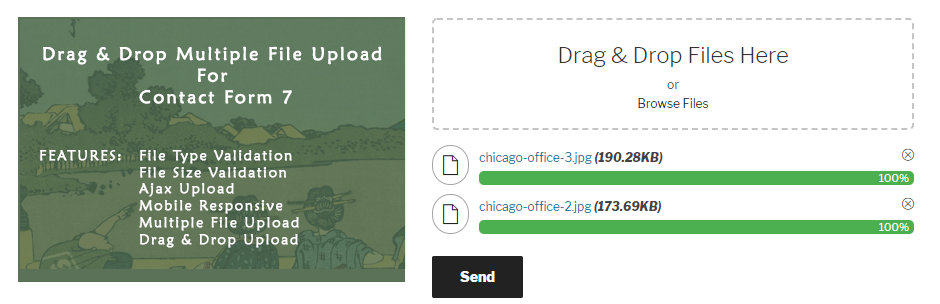
Drag and Drop Multiple File Upload for Contact Form 7 replaces the plain file field with an interface people actually enjoy using. Visitors can drag files straight onto the form or browse to select them, and everything uploads over Ajax so the page never reloads.
- Drag & drop or browse – multiple files in one field
- File type and file size validation, set per field
- A visible progress bar while files upload
- Files can be deleted before the form is even submitted
- Delivered as email attachments or as download links
- Mobile responsive and works across browsers
It’s a drop-in improvement over CF7’s default field, and it’s why the free version alone runs on over 60,000 active sites.
Where the free version reaches its limit
The free plugin moves uploaded files to a temporary folder and automatically deletes them one hour after submission – the same behavior as CF7’s own native upload handling. That’s fine for a quick contact form. It’s a problem if you need to review attachments later, store them permanently, or route them somewhere other than an inbox.
A file upload field is only as useful as what happens to the file after it’s submitted.
What Pro unlocks
The Pro version is built for teams that need to actually manage what comes through the form, not just receive it:
- Control auto-deletion – keep files longer, or turn deletion off entirely
- Save to the Media Library so submissions live inside WordPress, not just your inbox
- Remote storage – send files straight to Google Drive, OneDrive, Dropbox, Amazon S3, or FTP
- Chunked and parallel uploads for larger files without server timeouts
- Form entries stored in wp-admin, so nothing depends on email delivery
- Custom themes and color options to match the uploader to your site
- Custom filenames and folders by field, user, date, or post
Who should upgrade
If your form supports any of the following, Pro pays for itself quickly:
- Job applications where resumes need to be stored and reviewed later
- Agencies collecting design files, contracts, or client assets
- Support forms where large attachments regularly hit CF7’s default limits
- Any workflow where a lost email means a lost file
The free version is still a big step up from CF7’s default field on its own. But if files need a home beyond a one-hour temporary folder, it’s worth seeing what Pro adds.