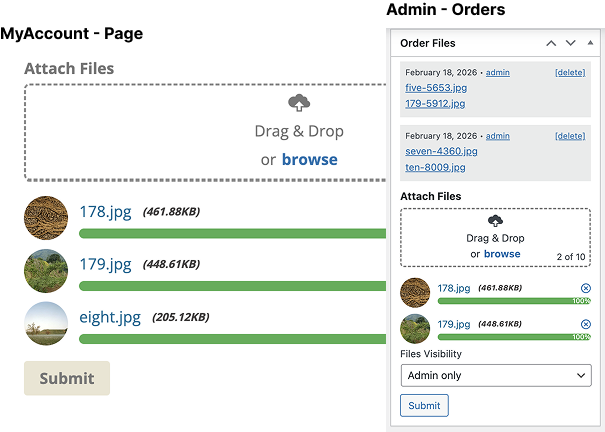
WooCommerce Order Files is a simple yet highly effective plugin that enables drag & drop file uploads directly within "existing" WooCommerce orders - both in admin and the My Account page. Perfect when admins need to send files to customers or customers need to attach or update files for their orders.
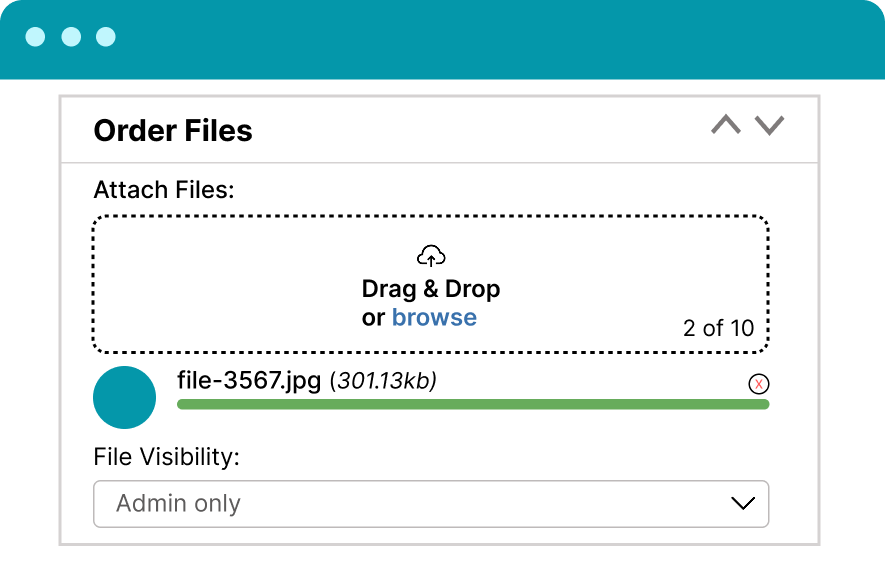
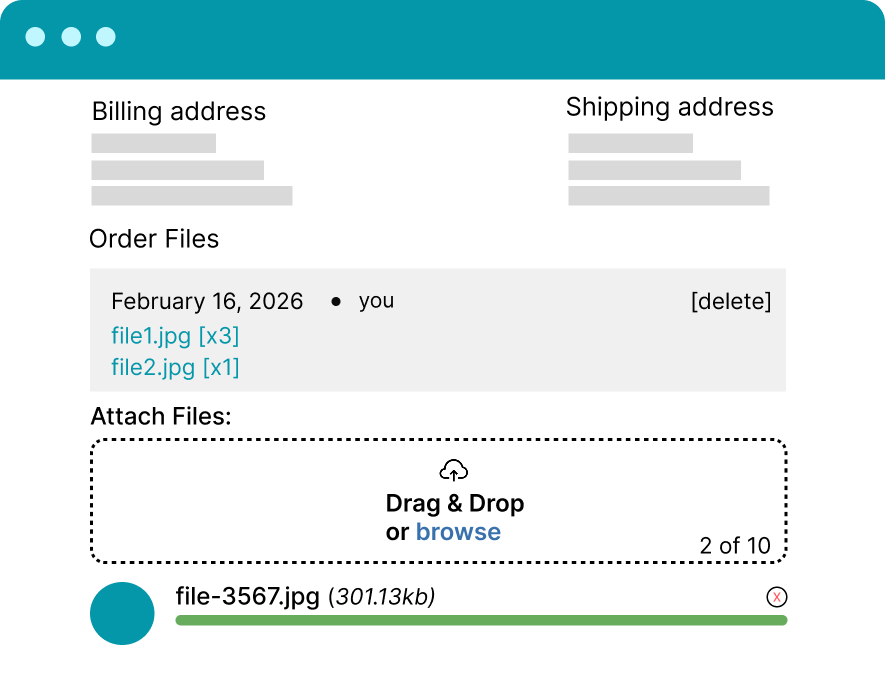
Buy NowDisplays files uploaded by admins or customers in the right-side Order Files metabox.
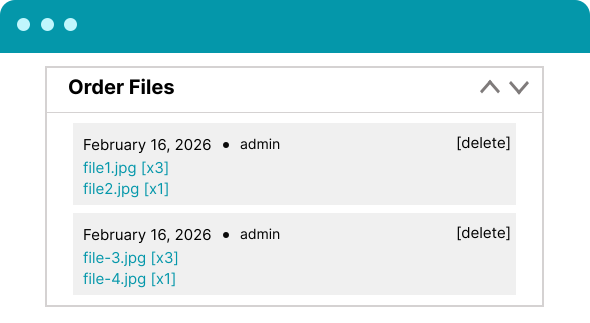

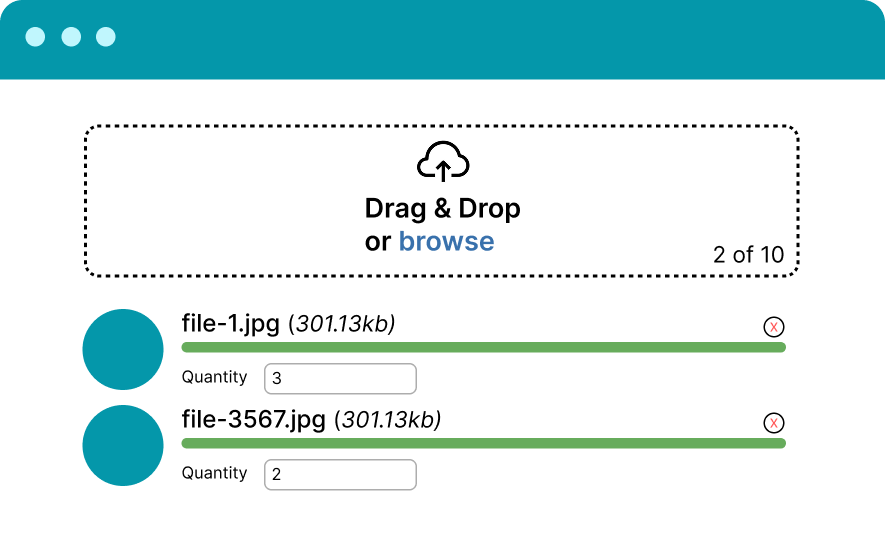
Define how many items correspond to each uploaded file — perfect for print jobs, custom products, or multi-piece orders.
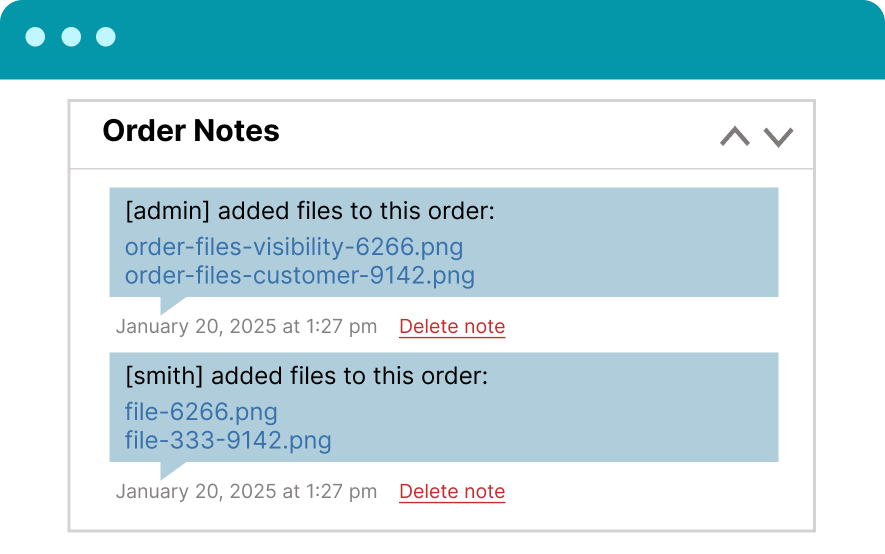
You can also upload files and display them in order notes that are emailed to customers.


On the admin order page, you can upload files directly and attach them to the order via the right-side metabox.
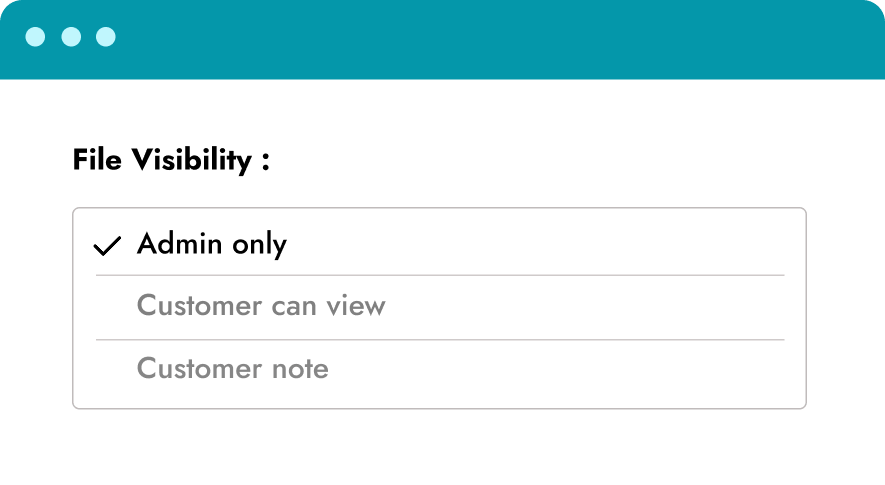
You can choose where the files will be visible: admin only, customer can view, or customer notes.
Admin Only - Files are visible only to administrators.
Customer View - Files are visible to both administrators and customers.
Customer Notes - Files are displayed within customer order notes.


Customers can upload files directly from the "My Account → Orders → View Order" page. Submitted files are automatically attached to the order and accessible to admins.
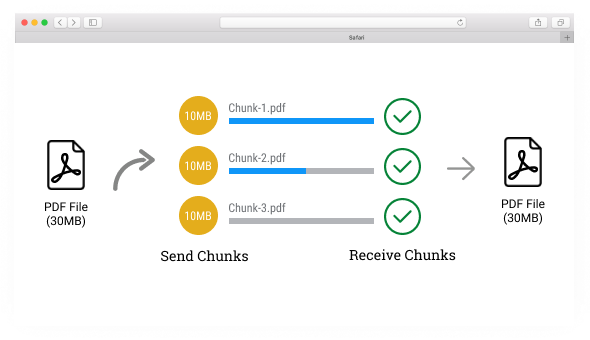
It can upload unlimited file size, regardless of server restrictions. Chunks also provides a fast and reliable way to upload large files by chunking them into a sequence of parts.


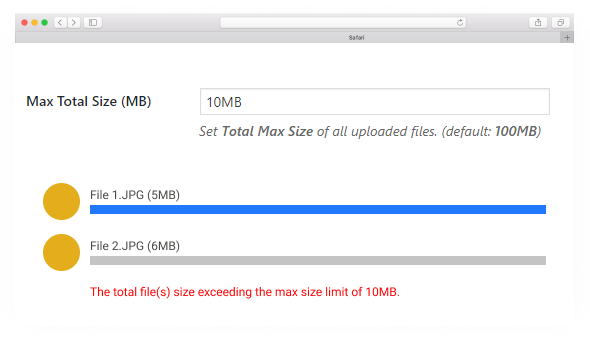
Set a maximum total file size limit for all uploaded files; if the size exceeds this limit, an error will be displayed.
You have an option to set how many file uploads to process at the same time. This has also helped to reduce resource usage on the server like
( memory usage, multiple server request )


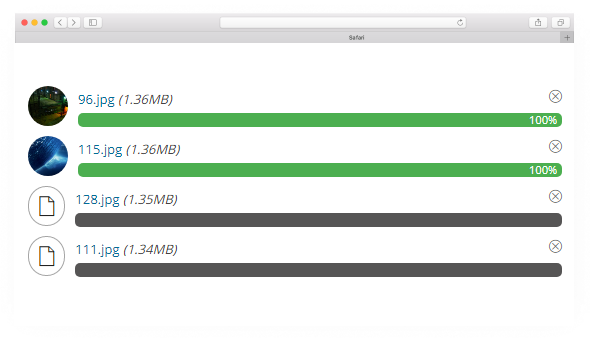
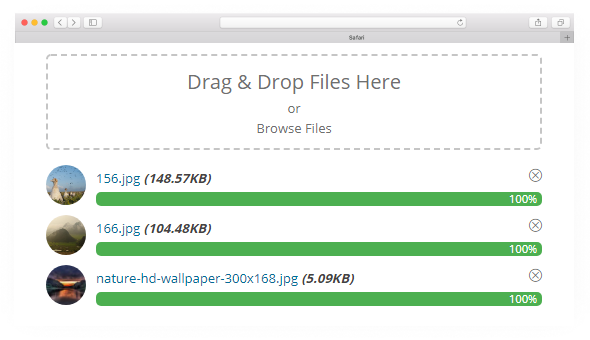
With this feature, it will help your customer to identify which file was uploaded and which are not.
Once this option enabled it will show a thumbnail after uploading an image
Current Version: 1.0
Woo Order Files is packed with powerful and useful features.

Software development need a maintenance and needs to always check like wordpress compatibility, plugins compatibility including WooCommerce.
1. Continuos support and security updates.
2. You can access regular updates and new features released during the license period, ensuring your plugin remains up-to-date and working.
3. Priority support for prompt assistance: Licensed users typically receive priority support, allowing you to get quick assistance and resolve any issues efficiently.
1-Year License - Access our Pro version for 1 year, including new features, security updates, and priority support. Renewal needed annually after the license expires.
Lifetime Purchase - Access our Pro version forever with a single payment. Get all premium features, lifetime updates, and priority support without any recurring fees.
30-day money back guarantee!
Your license key
Unlimited Support
Unlimited Updates
Advanced Features
1 Year License
When your license expires, you can still use the plugin, but won't receive any more updates including security updates, new features or support.
Lifetime License
Lifetime licenses include lifetime updates and support.
If you're unsatisfied within 30 days of using our plugin, you can request a refund via email [email protected].
Please provide an order number or a screenshot of the receipt.
Yes, with a valid license, you can update the plugin via the WordPress dashboard, just like the free version.
Once the purchase is successful, you will receive a confirmation email containing a link to download the plugin zip file and a license key.
You can also download the file manually through our website https://codedropz.com/my-account. Simply log in using your credentials.
We use Freemius because access to international payment gateways is limited in our country. Freemius securely handles payments, licensing, subscriptions, and invoicing as a Merchant of Record, allowing us to serve customers globally with a reliable checkout experience.
Yes, once an issue or bug is reported, I quickly address it and release a fix or solution within the day.
The My Account settings can be found in your WordPress dashboard under "Contact → Drag & Drop Upload → Account".
Alternatively, you may access the customer admin portal and sign in with your login credentials
Yes, it's regularly checked by Sucuri.net and Wordfence team. If they find a security issue, they'll email me directly, and I'll address the issue ASAP.