Get Pro

Upgrade to the Pro version of Drag & Drop Multiple File Upload for WooCommerce to explore more advanced features.

Try it for Free

Statistical Numbers

All statistical data below are provided by Wordpress.org

77,000+

Downloads

4.9/5

20 Reviews

5,000+

Happy Users

6 Years

Actively Maintained

Drag & Drop Multiple File Uploads - WooCommerce

Drag & Drop File Upload for WooCommerce

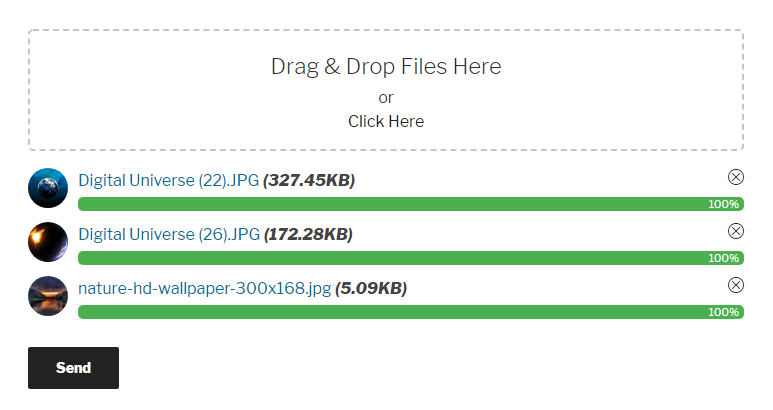
Drag and Drop Multiple File Uploader is a simple, straightforward WordPress plugin extension for WooCommerce, which allows the user to upload multiple files using the drag-and-drop feature or the common browse-file of your product or checkout page.

Buy PRO


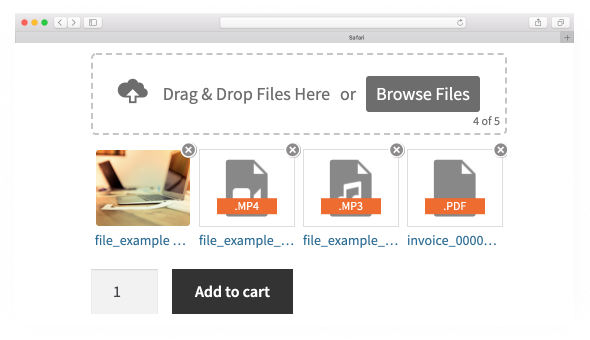
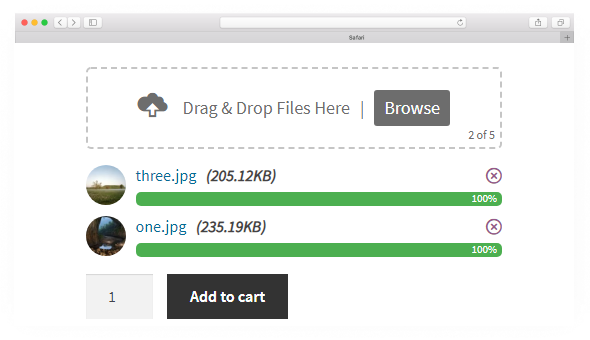
Image Preview

With this feature, it will help your customer to identify which file was uploaded and which are not.
Once this option enabled it will show a thumbnail on "single", "order" & "cart" page.

Please Note:This feature applies to image files stored "locally" only. Files stored on "remote services" are excluded due to certain limitations.

Image Preview
Image Preview New
Drag & Drop Multiple File Upload - Chunks Upload

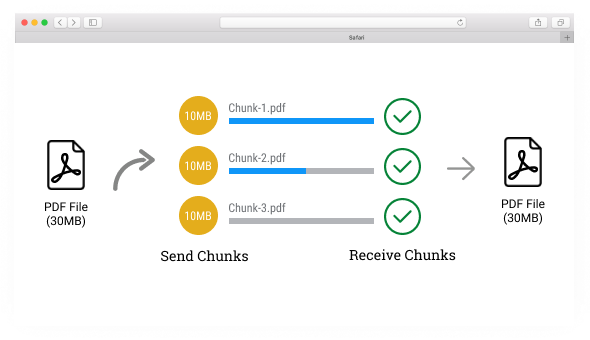
Chunks Upload

It can upload unlimited file size, regardless of server restrictions. Chunks also provides a fast and reliable way to upload large files by chunking them into a sequence of parts.

Filename Amend

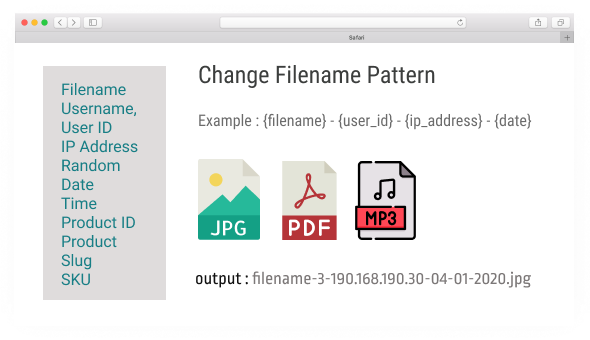
You have the ability to Modify or Change Filename pattern before uploading a file.

Available Tags : Filename, Username, User ID, IP Address, Random, Date, Time, Product ID, Product Slug, SKU

Drag & Drop Multiple File Upload - Filename Amend
Drag & Drop Multiple File Upload - Upload Folder

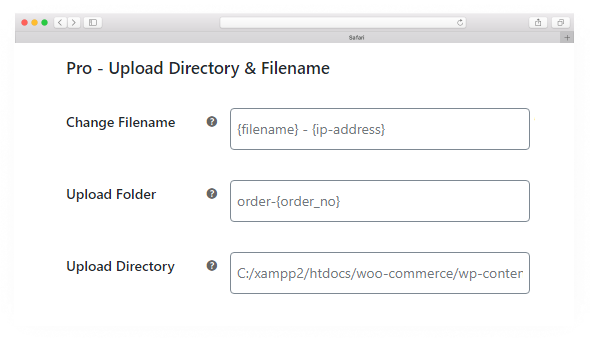
Change Upload Path, Filename & Upload Folder

Modify/change the default Upload Directory, Filename Pattern & Upload Folder.

In Uploader Folder Option - This will create a custom folder and group files based on "Order Number, Random, Date, Time, Name or Customer ID"

Conditional Fee

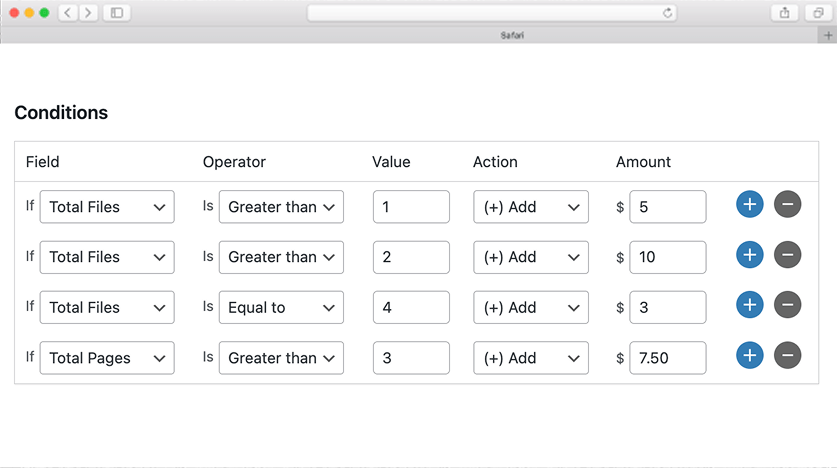
Automatically add an extra fee based on the total number of files uploaded for each product, using the pricing rules you define in the settings.

Drag & Drop Multiple File Upload - Additional Fee
Drag & Drop Multiple File Upload - Zip Files

Zip Files

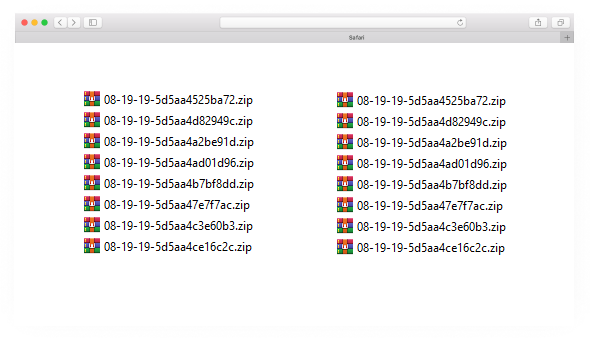
This options will (compress or zip) all your files to save storage space.

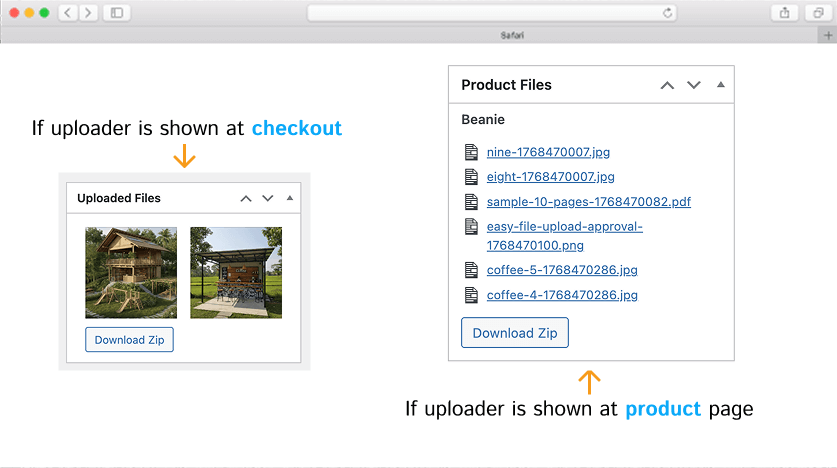
Download Files

In the admin "Order" page there's a widget "Product Files" where you can manually download individual files or all files into ZIP format.

Please Note: Files can only be downloaded as a ZIP when using "local storage". ZIP downloads are not supported for "remote storage".

Drag & Drop Multiple File Upload - Zip Files
Drag & Drop Multiple File Upload - Parallel Uploads

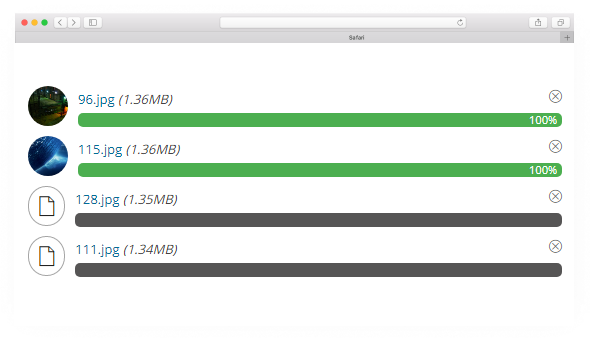
Parallel Uploads

You have an option to set how many file uploads to process at the same time.
This has also helped to reduce resource usage on the server like ( memory usage, multiple server request )

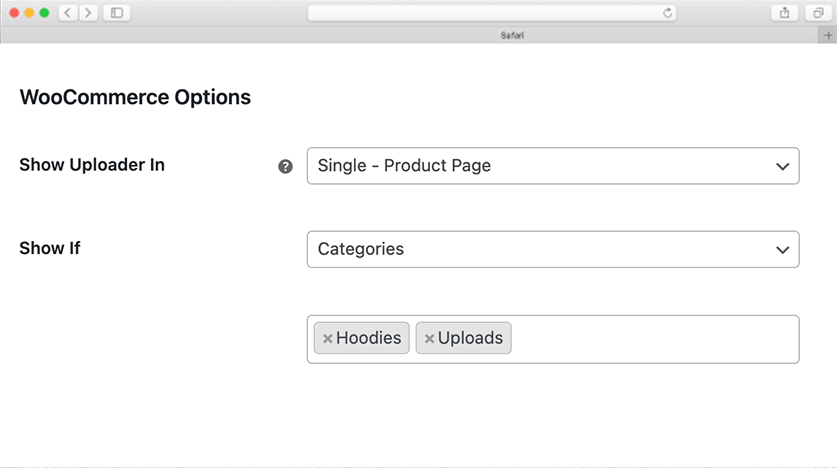
Show Uploader Conditionally

Only show 'Drag & Drop File Upload' on specific categories, tags, products or attributes.

Drag & Drop Multiple File Upload - Show Uploader
Drag & Drop Multiple File Upload - Reject Files

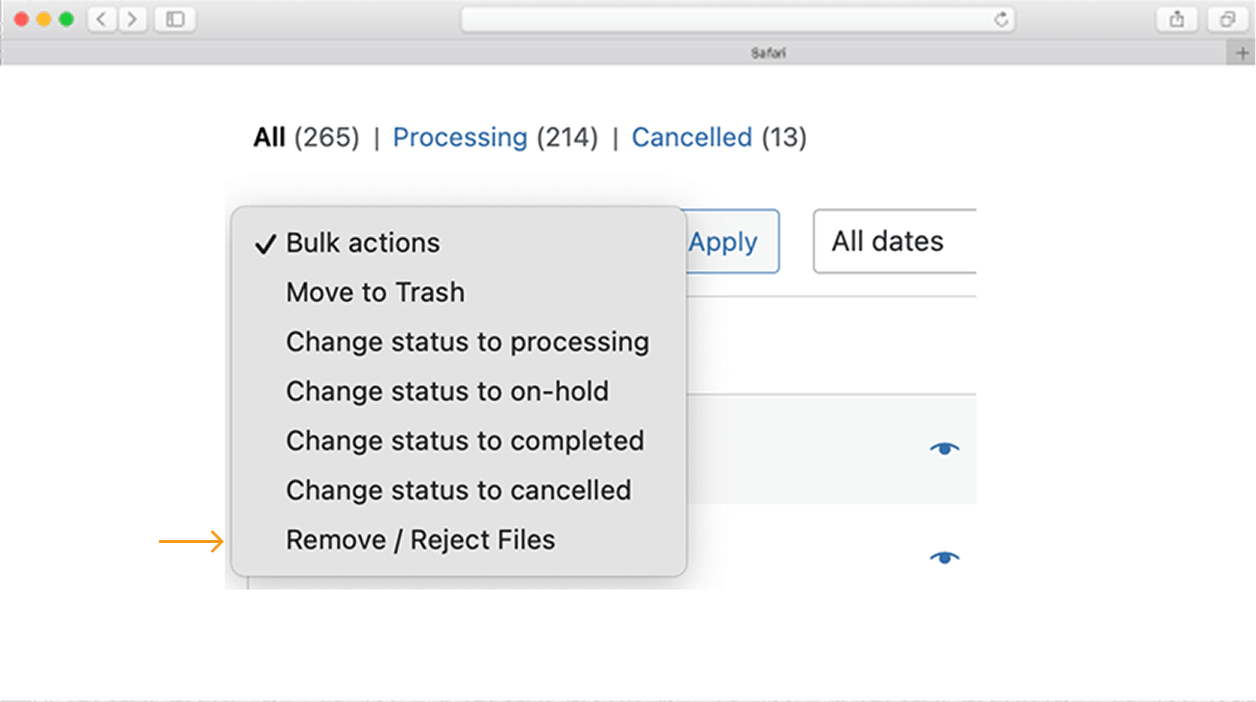
Remove/Reject Files

You have an option to remove or reject files on completed/processing Order. (files will be removed from the server)

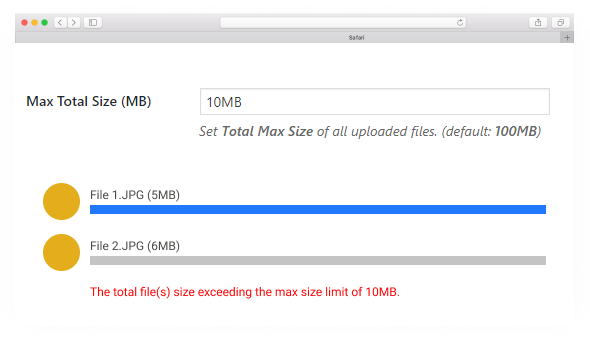
Max Total Size

Set max Total File Size limit of all uploaded files, if size exceeds the limit it will display an error.

Drag & Drop Multiple File Upload - Max Total Size

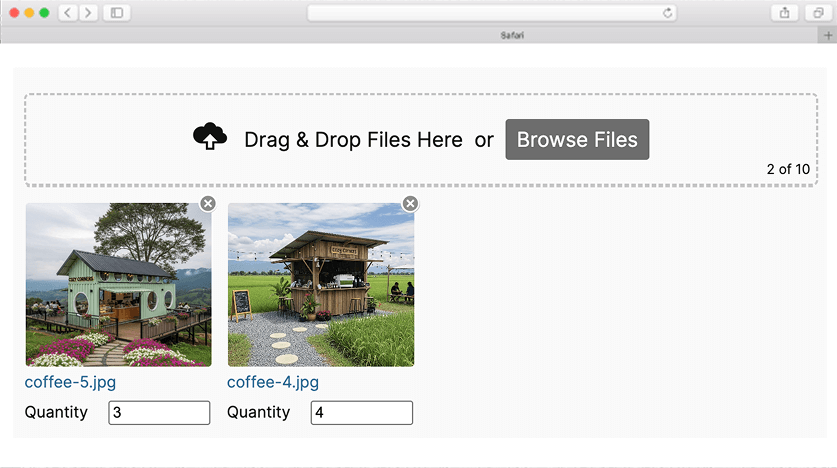
Quantity Per File

Allows customers to set a quantity for each uploaded file individually, ideal for orders where each file requires a different number of copies.

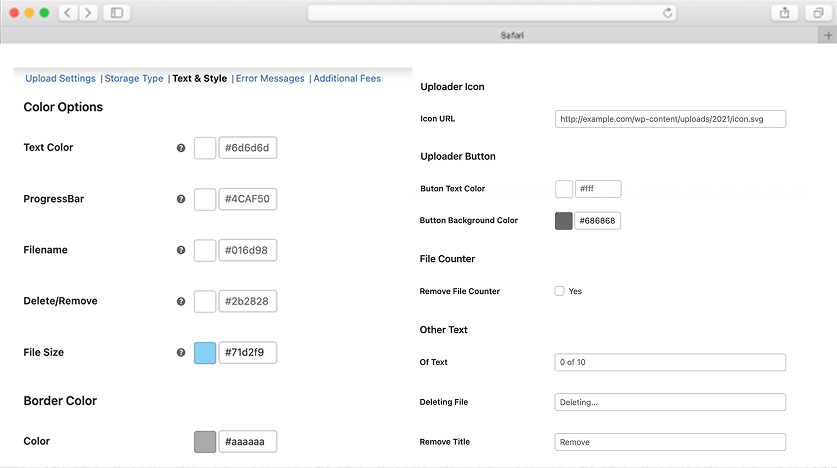
Text & Style

Personalize the uploader's text, colors, borders, icons, and overall appearance to match your website's branding and design.

Drag & Drop Multiple File Upload - Text & Style
Drag & Drop Multiple File Upload - Upload Folder

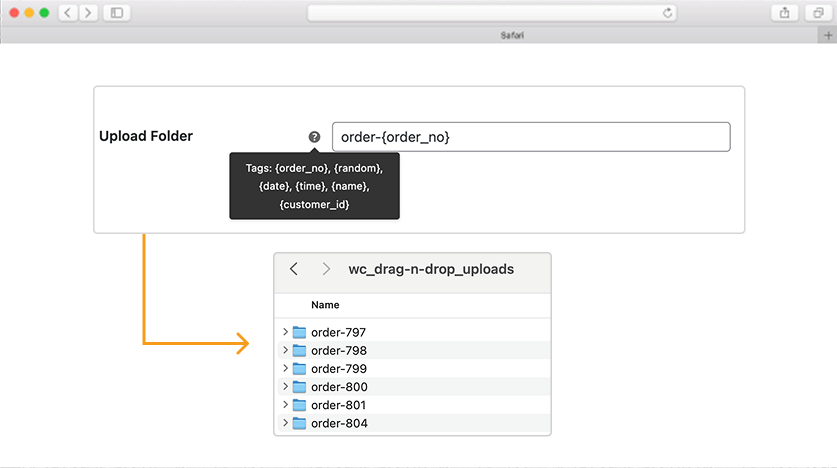
Upload Folder

Configure custom upload folders using dynamic values such as order ID, customer ID, name, date, time, or random strings.

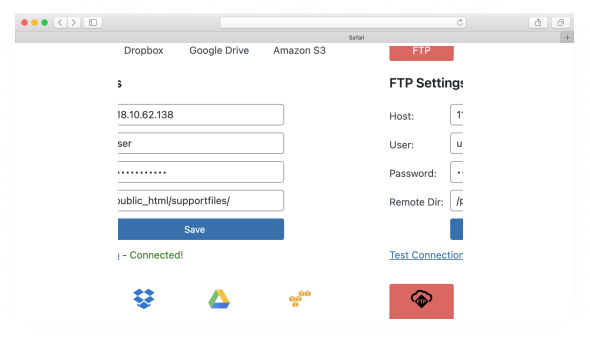
Remote Storage

You now have the option to store your files in remote storage services. (More Info)

(e.g. Google Drive, Dropbox, Amazon S3, FTP)

This feature is only included on the extended plan for the price of $34.99. (see prices below)

Purchase Now
Drag & Drop Multiple File Upload - Max Total Size

Pro Features

Current Version: 1.7.2 | Changelog

In the premium features, you'll discover many important and useful options.

24.99
Only for (1 Year License)
  • Attach Files to Email (Max 20MB)
  • Upload Larger Files (Chunks Upload)
  • Image Preview (For Images)
  • Parallel / Sequential Upload
  • Change Filename Pattern
  • Change Upload Directory Path
  • Change Upload Folder [Order No, Random Folder, Date, Time, Name, Customer ID]
  • Add Custom Fees on Specific "Product" or "Category"
  • Image Crop (Standard Plan Only)
  • Set Quantity per File
  • Count Total Pages of PDF [Charge user per page]
  • Color options for "Text","Progress Bar" & "Button".
  • Approve / Reject Files
  • Set Max Total Size
  • ZIP Files
  • Show uploader based on [Categories, Products, Tags, Attributes]
  • Show uploader on “Checkout” or “Single Product” page.
  • Remote Storage Integrations
    ( Google Drive, Dropbox, Amazon S3, FTP )
  • Ajax File Uploads
  • Seamless and Limitless File Uploads
  • Optimized Code & Performance
  • Improved Security
  • Standard & Premium Support
  • Lifetime Updates

Standard

  • All Premium Features
  • Store Files Locally
  • Remote File Storage
  • Custom Fee ⭐
  • File Attachment ⭐
  • Standard Email Support
Annual License
30% off on renewal.
Onetime Purchase

Extended

  • All Standard Features
  • Remote File Storage ⭐
  • Remote Storage Integrations:
    • Google Drive
    • Amazon S3
    • Dropbox
    • FTP
  • Priority Support ⭐
Annual License
30% off on renewal.
Onetime Purchase
100% money-back guarantee on all paid plans for 30 days.

Note : Before making a purchase, please try or test using a Free Version to ensure that everything is working correctly.

500+ Sales

FAQ

Why I've added a license?

I enjoy working on the free version and have other free plugins on WordPress.org. I've created a Pro version to offers some advanced features.

I work hard to continually add new features, implement security updates, and provide customer support.

Adding a license, ensuring that the project's development remains sustainable, allowing me to continue it's growth and improvement.

What is the benefits of valid license?

Software development need a maintenance and needs to always check like wordpress compatibility, plugins compatibility including WooCommerce.

1. Continuos support and security updates.

2. You can access regular updates and new features released during the license period, ensuring your plugin remains up-to-date and working.

3. Priority support for prompt assistance: Licensed users typically receive priority support, allowing you to get quick assistance and resolve any issues efficiently.

What's the difference between Annual & Lifetime Purchase?

Annual License - Access our Pro version for 1 year, including new features, security updates, and priority support. Renewal needed annually after the license expires.

Lifetime Purchase - Access our Pro version forever with a single payment. Get all premium features, lifetime updates, and priority support without any recurring fees.

What does the license include?

30-day money back guarantee!

Your license key

Unlimited Support

Unlimited Updates

Advanced Features

What if I don't want to renew my license?

1 Year License

When your license expires, you can still use the plugin, but won't receive any more updates including security updates, new features or support.

Lifetime License

Lifetime licenses include lifetime updates and support.

How to request a refund?

If you're unsatisfied within 30 days of using our plugin, you can request a refund via email [email protected].

Please provide an Subscription ID or a screenshot of the receipt.

Or you may submit a refund request through the customer portal under "Support → Billing Issue → Refund Request".

Does the plugin update automatically?

Yes, with a valid license, you can update the plugin via the WordPress dashboard, just like the free version.

How to download the plugin file?

Once your purchase is successful, you will receive a confirmation email with your login credentials, allowing you to download the file.

You can also download the file anytime through this Customer Portal by logging in with your credentials.

Does the plugin update regulary?

Yes, once an issue or bug is reported, I quickly address it and release a fix or solution within the day.

Where can I find the My Account settings?

The My Account settings can be found in your WordPress dashboard under "WooCommerce → Settings → File Uploads → My Account".

Is the plugin secure?

Yes, it's regularly checked by Sucuri.net and Wordfence team. If they find a security issue, they'll email me directly, and I'll address the issue ASAP.

Why do we use Freemius for payments and licensing?

We use Freemius because access to international payment gateways is limited in our country. Freemius securely handles payments, licensing, subscriptions, and invoicing as a Merchant of Record, allowing us to serve customers globally with a reliable checkout experience.

Plugin User Guide

See Documentation